To make a Rumpelstiltskin AI video, open the Rumpelstiltskin AI generator, upload your photo, choose 480p or 720p, then log in and generate with purchased credits. Use one photo to replace the tiptoe dancer, or two separate photos to replace both the dancer and the maiden. The tool uses the original dance reference, so you do not need to record yourself dancing, upload a reference video, or write a prompt. Generation starts at $9.90 for 480p, with an MP4 download and the original reference audio included.
Want to know where the dance came from, whether it is a real movie scene, or which song it uses? Read what the Rumpelstiltskin AI meme is before making your version.
What You Need Before You Start
Prepare these before opening the generator:
- One photo of yourself if you want to become the dancer and keep the original maiden.
- Two separate photos if you want to replace both characters. Each photo should show one person.
- A web browser and an internet connection. You use the generator online without installing a video editor.
- An account and enough purchased credits. A 480p video uses 100 credits; a 720p video uses 170 credits.
Your photos must be JPG, PNG, or WebP files, no larger than 20 MB each. If your phone saves photos as HEIC, export or convert them to one of the accepted formats first.
Choose a sharp photo with your face clearly visible. Avoid group photos, sunglasses, covered faces, and heavy beauty filters. You do not need a photo of yourself performing the dance—the movement comes from the reference video.
Step 1: Open the Rumpelstiltskin AI Generator
Open the Rumpelstiltskin AI Video Generator on the website’s homepage and go to the photo upload panel.
Before uploading, play the Original Reference Video beside the panel. This is the dance and scene your video will use. Watching it first lets you check whether it is the version you want to recreate.
The Rumpelstiltskin tiptoe dance template is already selected. There is no separate template file to download or editing timeline to set up.
Step 2: Upload Your Photo
Choose the mode that matches the number of characters you want to replace.
| Mode | Photos needed | What changes |
|---|---|---|
| Dancer Only (1 photo) | One photo in Photo 1 | Your photo replaces the tiptoe dancer. The original maiden stays. |
| Dancer & Maiden (2 photos) | One photo in each upload field | Photo 1 replaces the dancer. Photo 2 replaces the maiden. |
For a video of yourself dancing, choose Dancer Only (1 photo) and upload your portrait in Photo 1 — The tiptoe dancer.
To include a friend, choose Dancer & Maiden (2 photos). Upload your photo as Photo 1 and your friend’s photo as Photo 2. Use two individual photos rather than a single picture of you together.
Check the uploaded images before continuing. The upload field determines the role: putting your friend’s photo in Photo 1 makes your friend the dancer.
The photos guide the replacement characters’ appearance, including their faces, hairstyles, and clothing. The tool is designed to follow the reference performance rather than animate the pose in your uploaded photo.
Step 3: Choose 480p or 720p
Under Video quality, select 480P or 720P.
| Quality | Credits per video | Matching pack |
|---|---|---|
| 480p | 100 credits | $9.90 for 100 credits |
| 720p | 170 credits | $16.90 for 170 credits |
Both options use the same dance template and include the download and original reference audio. The resolution changes the output quality, not which character your photo replaces.
Choose 480p if you want the lowest-cost first attempt, especially to check your photo choice before spending more. Choose 720p if the higher resolution matters to you. 720p does not guarantee a closer facial resemblance or fix a blurred input photo.
If you later want another version with a different photo or resolution, it requires a new generation and another credit charge.
Step 4: Generate and Download Your Video
- Log in. If you are signed out, click Log in & Generate Video.
- Check your balance. You need 100 credits for 480p or 170 credits for 720p.
- Buy credits if needed. The generator opens the credit pack options when your balance is insufficient.
- After payment, return to the generator. Check your photos and quality setting, then click Generate Rumpelstiltskin Video. Buying credits does not automatically start generation.
- Keep the generation panel open while processing. Wait for Your Video Is Ready.
- Play the result, then click Download Video. Save the MP4 to your device.
Your new paid generation already includes its download. You do not need to buy a second pack to download that completed video.
The reference clip is approximately 12.7 seconds long. The downloaded video includes the original reference audio, so you do not need to add the sound manually in another editor.
How long should you expect to wait?
In one recorded local 480p model test, generation took 332 seconds—about 5 minutes and 32 seconds. That is one test, not an average or a guaranteed completion time, and it does not establish the full website processing time.
How to Get Better Face Replacement Results
Start by checking whether the input photo gives the model a clear view of the person you want in the video.
| Problem with your photo or result | What to change for your next attempt |
|---|---|
| Your face is small in a group photo | Use an individual portrait with one clearly visible face. |
| Sunglasses, hair, or a hand covers your face | Choose a photo with your eyes and facial features visible. |
| The image is blurred or heavily filtered | Use a sharper original photo with fewer edits. |
| The two people appear in the wrong roles | Check the upload fields: Photo 1 is the dancer; Photo 2 is the maiden. |
| You expected the maiden to change, but she did not | Choose Dancer & Maiden and upload Photo 2. Dancer Only keeps her original appearance. |
Treat these as photo-selection checks, not guarantees. A clearer photo gives the model a better reference, but the result can still differ from how you look.
What our existing 480p test showed
The recorded two-photo 480p result changed details such as the woman’s hairstyle and the man’s clothing and shoes. The man still retained a relatively small body shape from the original character. Your photo therefore should not be treated as a promise of an exact face-and-body copy.
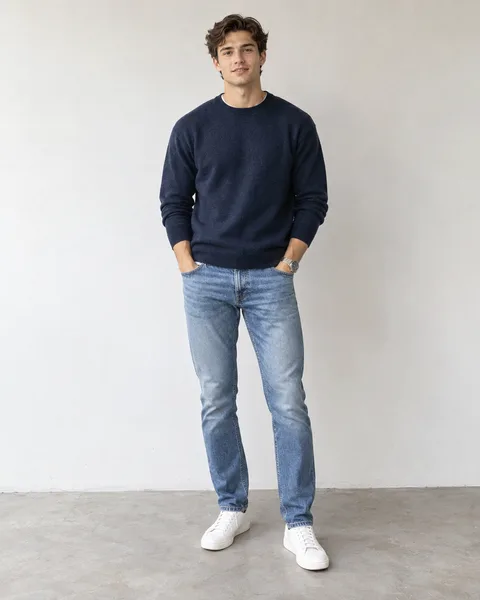
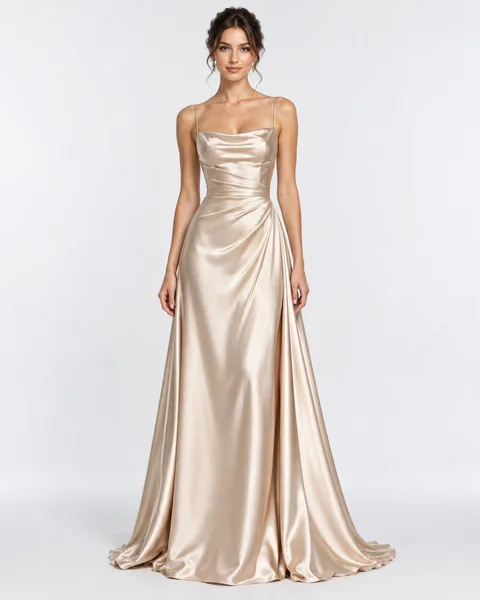
Before paying for another attempt, replay the completed video and identify what you want to change. Check the face during movement, the hairstyle, clothing, and whether each person appears in the intended role. Then choose a replacement photo that addresses the specific issue.
How Much Does It Cost?
Generation uses one-time purchased credits. There is no subscription requirement, no free generation, and no signup credit allowance.
| Pack | Price / credits | Enough for |
|---|---|---|
| Starter | $9.90 / 100 credits | One 480p video |
| HD | $16.90 / 170 credits | One 720p video |
| Creator | $29.90 / 340 credits | Two 720p videos |
The Creator pack saves $3.90 compared with buying two HD packs. Purchased credits have no scheduled expiration. See the one-time credit packs.
Each generation uses 100 credits at 480p or 170 credits at 720p, whether you upload one photo or two. Downloads and the original reference audio are included.
If generation fails, the charged generation credits are returned automatically to your account. This is a credit return, not a cash refund. A completed video that you dislike is different from a failed generation; creating another version uses credits again.
Can You Make It Without a Reference Video?
You do not need to upload a reference video yourself. The generator already supplies the original Rumpelstiltskin dance clip.
However, the generation still relies on that reference. Your photos provide the replacement characters’ appearance; the reference supplies the performance, camera sequence, and scene.
This is different from text-to-video generation, where you describe a new scene and ask the model to invent the action. Here, you choose the characters and output quality without writing a prompt.
If you want a different dance, setting, or camera sequence, this fixed template does not provide those controls.